
"EPickNPlace"
Free Manual Pick and Place/Inspection Software
|
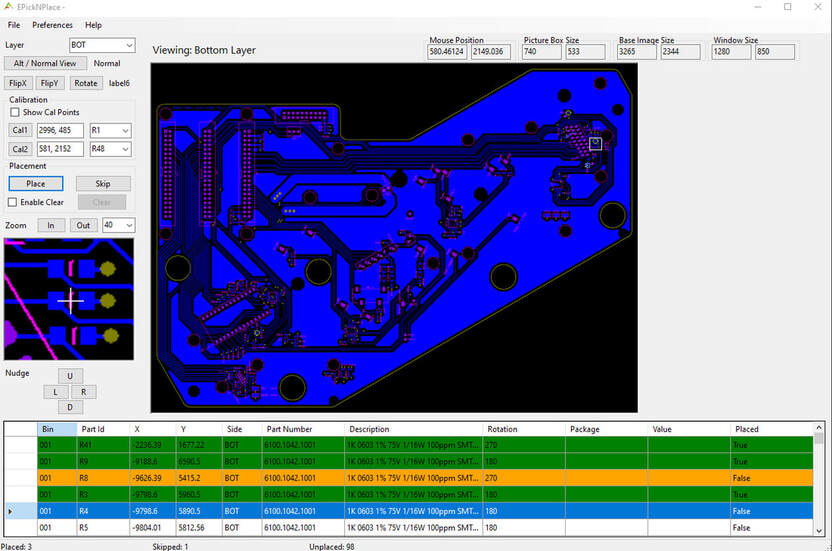
EPickNPlace is a software application developed by Eiger Design GmbH (based on SMTAssistant by ALCIOM) to assist manual pick and place operations by helping to locate a part on a printed circuit board, based on a bitmap of the PCB and Pick&Place file.
|

|
As with the original SmtAssistant, Eiger developed this software for our own needs, to assist a lower cost path for making prototypes and customisation card for our J-Testr NextGen systems. The software can also be used for PCB inspection or board repair works.
Eiger Design GmbH made the decision to make this software open-source and available for the general marketplace, this page is dedicated to this software.
Tested to run under Windows 10 and 11 and developed using Visual Studio 2022 C# with .Net Framework 6.0, this software can be freely used for any commercial or non-commercial application. As should be expected Eiger Design GmbH doesn’t provide any support on this free software, but you are always welcome to make any comment or improvement proposals, however it is not a commercial venture for our company. The software is licenced under the GNU General Public License.
Minimum screen size is 1280 x 960 (or 1024 depending on screen ratio)
Eiger Design GmbH made the decision to make this software open-source and available for the general marketplace, this page is dedicated to this software.
Tested to run under Windows 10 and 11 and developed using Visual Studio 2022 C# with .Net Framework 6.0, this software can be freely used for any commercial or non-commercial application. As should be expected Eiger Design GmbH doesn’t provide any support on this free software, but you are always welcome to make any comment or improvement proposals, however it is not a commercial venture for our company. The software is licenced under the GNU General Public License.
Minimum screen size is 1280 x 960 (or 1024 depending on screen ratio)
Improvements (from SMT Assistant)
|
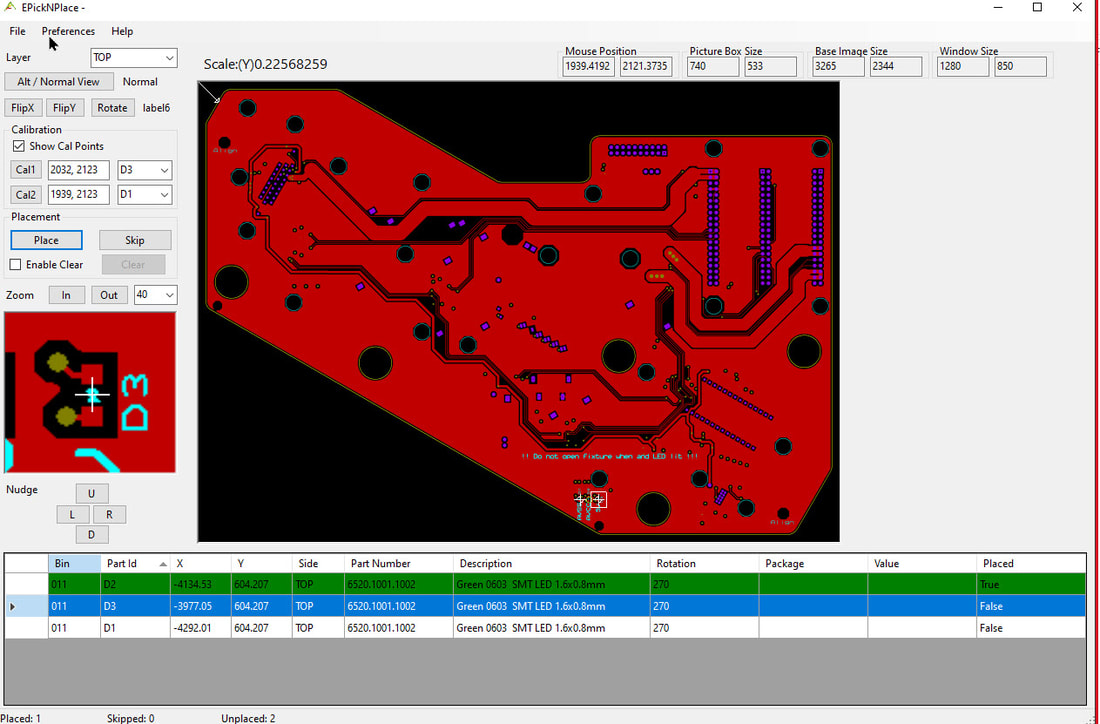
Improvements over SMT Assistant are detailed below: - Project Mode (optional) to save configuration and images. - Menu with multiple preferences - Added Part number and Description fields (older Package and Value remain) - Simpler CSV file format - Graphical marker for placed, skipped and calibration points. - Easier Calibration process, inc. drop down component IDs, markers and micro nudging - Calibration remains when rotated and flipped - Alternative image view for pictures or instruction to assist the operator. - Component placed, skipped and unplaced counters. - Bottom and Top Separate and holds calibration when changing between layers. - Teach Mode (work in process) to make own PKP files from Images. Currently missing features (available on SMT Assistant): - Board Qty and Pick List Generator (will be implemented in future) * *Note: Eiger have this feature in their own database hence does not require it. 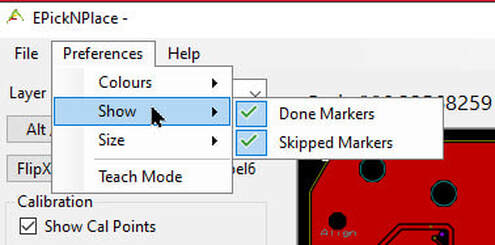
Select-able Preference
|
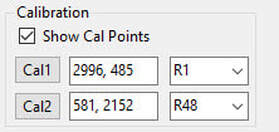
Improved Calibration
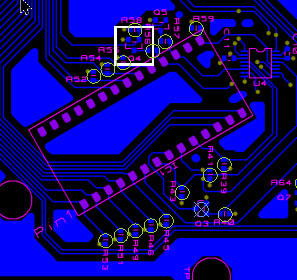
Placed and Skipped Markers
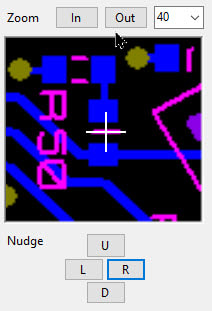
Pixel Nudging
|
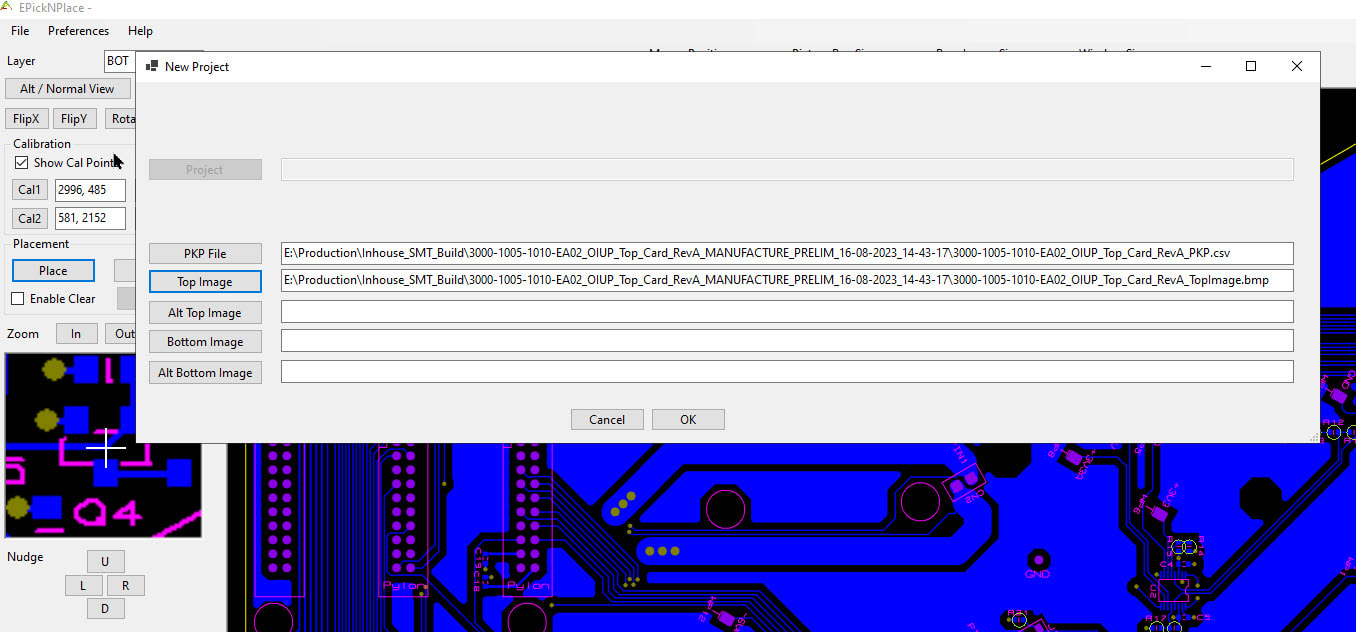
Projects
PKP Format
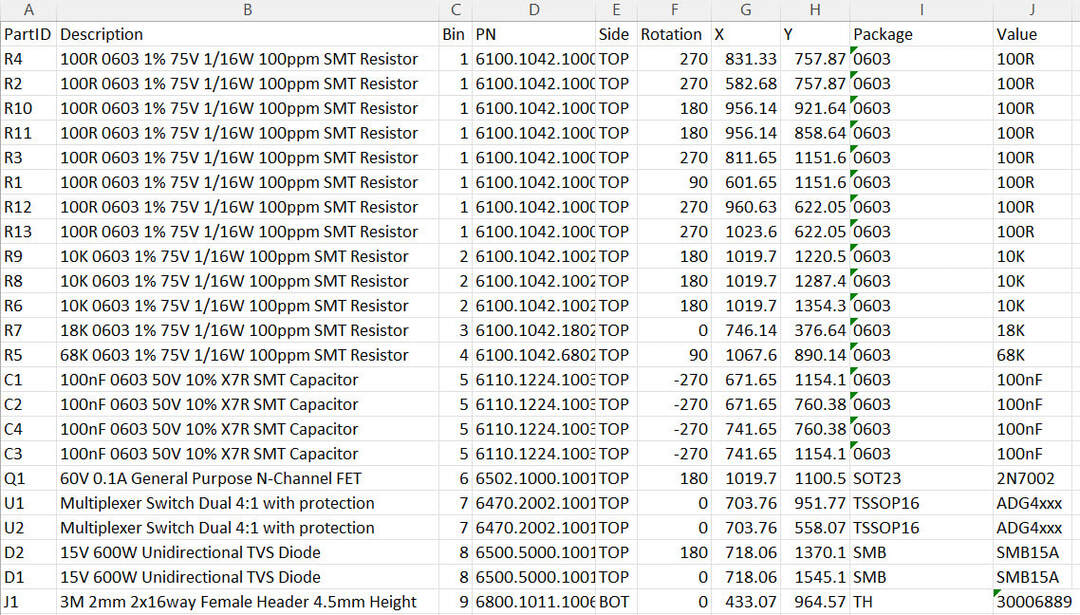
Unlike SMT Assistant, EPickNPlace get its information from headed column in a CSV file and the header order is not critical as the software looks for the headers. Only the header required for operation are required to be present as listed below:
Bin This is the BIN or "Component Package" indicator number (Number 1 to 999)*
Side Either “TOP” or “BOT” to indicate the side the component is located
x X location of the component (handles +/- and floating point)
y Y location of the component (handles +/- and floating point)
PartID The component ID on the schematic and PCB Silkscreen
Below listed fields are not required and are only for information to be displayed to the user, all fields are text based.
Description Part Description
PN Part Number (either manufacturer or Own)
Package Package Description (legacy from SMT Assistant)
Value Package Value (legacy from SMT Assistant)
Rotation 0 to 360 degrees
*Note, on SMT Assistant "Bins" where assigned, automatically, this option will be added in the future with Board Qty and Pick List Generator and the column will be optional.
Bin This is the BIN or "Component Package" indicator number (Number 1 to 999)*
Side Either “TOP” or “BOT” to indicate the side the component is located
x X location of the component (handles +/- and floating point)
y Y location of the component (handles +/- and floating point)
PartID The component ID on the schematic and PCB Silkscreen
Below listed fields are not required and are only for information to be displayed to the user, all fields are text based.
Description Part Description
PN Part Number (either manufacturer or Own)
Package Package Description (legacy from SMT Assistant)
Value Package Value (legacy from SMT Assistant)
Rotation 0 to 360 degrees
*Note, on SMT Assistant "Bins" where assigned, automatically, this option will be added in the future with Board Qty and Pick List Generator and the column will be optional.
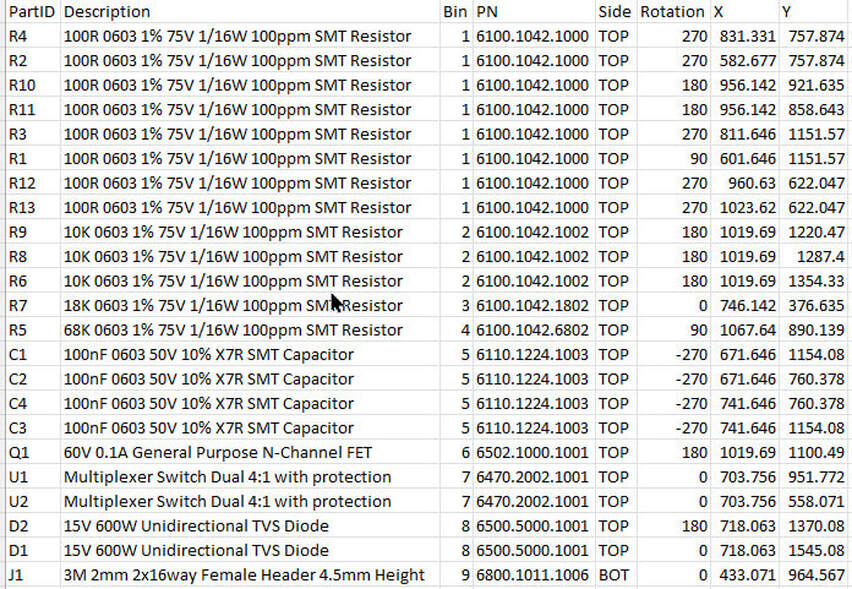
Example PKP File (No Package, No Value)
Example PKP File (All Fields)
Files
The installer installs the software to below location:
C:\Users\YourComputerName\AppData\Roaming\EigerDesign (Start menu Eigerdesign\EPickNPlace)
C:\Users\YourComputerName\AppData\Roaming\EigerDesign (Start menu Eigerdesign\EPickNPlace)

| epicknplace_v1_6_2.zip |
Versions:
V1.6.2: Initial release to public.
To do:
Binning if no "Bin" column found in the csv, an option to let the user sort the component and automatically assign "Bin" numbers to them based on the selected requirements.
Build "Quantity" selection and PickList, PickList will show the required parts for the specified build quantity
V1.6.2: Initial release to public.
To do:
Binning if no "Bin" column found in the csv, an option to let the user sort the component and automatically assign "Bin" numbers to them based on the selected requirements.
Build "Quantity" selection and PickList, PickList will show the required parts for the specified build quantity
Source files are available on request, please contact [email protected]
Videos
We plan some training video, they will not be professional quality but should help you in some ways!

|
Eiger Design GmbH © Copyright 2021.
All rights reserved. |